
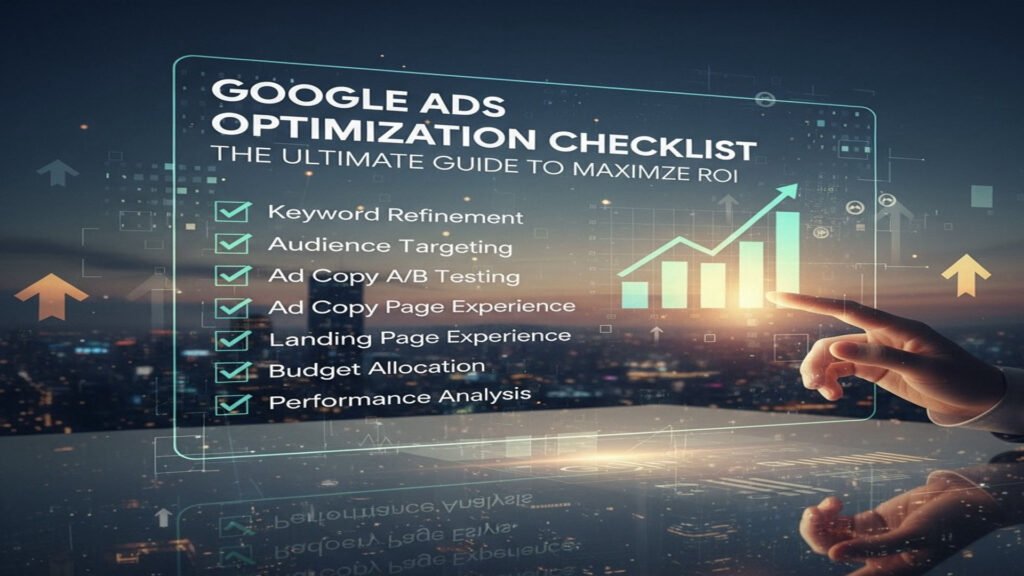
Running Google Ads campaigns is one of the most powerful ways to drive targeted traffic, generate qualified leads, and boost conversions for your business. With over 90% of global internet users exposed to Google’s ad network, it’s an essential tool for any digital marketer seeking success with the Google Ads Optimization Checklist approach.
However, simply launching a campaign isn’t enough — success with Google Ads comes from continuous improvement through the Google Ads Optimization Checklist. You can’t just “set and forget” your ads and expect consistent performance. Like any marketing engine, Google Ads needs tuning, testing, and refining to deliver the best return on investment (ROI).
Optimization is what separates average campaigns from high-performing ones. By following a structured Google Ads Optimization Checklist, you can systematically refine every part of your campaign — from keyword selection and ad copywriting to landing page optimization and bidding strategies.
A well-implemented Google Ads Optimization Checklist ensures your ad spend works smarter, not harder. It helps you increase CTR (Click-Through Rate), lower CPC (Cost Per Click), and improve conversion rates through data-driven decisions and precise targeting.
Using this Google Ads Optimization Checklist, you’ll learn how to:
-
Identify high-performing keywords and eliminate wasted spend
-
Optimize ad relevance to boost Quality Score
-
Refine audience targeting and device performance
-
Continuously test ad creatives and landing pages for better results
The Google Ads Optimization Checklist is your ultimate roadmap to mastering campaign efficiency. It gives you a step-by-step structure to ensure nothing is overlooked — from setup to performance tracking.
This comprehensive guide provides everything you need in a Google Ads Optimization Checklist — a detailed roadmap to fine-tune your campaigns for maximum performance, higher Quality Scores, and more conversions in 2025 and beyond.
1. Campaign Setup & Structure Optimization

Before diving into advanced optimizations, your campaign’s foundation must be solid. A poorly structured account wastes money, confuses data, and makes scaling nearly impossible — which is why starting with a Google Ads Optimization Checklist is essential for long-term success.
1.1 Use the Right Campaign Type for Your Google Ads Optimization Checklist
Each campaign type in Google Ads serves a unique purpose. Choosing the right one ensures your ads reach the right audience in the right context and aligns perfectly with your Google Ads Optimization Checklist strategy.
Search Campaigns – Target users actively searching for your product or service. Example: Someone searching “buy red Nike running shoes” has strong intent.
Display Campaigns – Use visual banners to build brand awareness or re-engage past visitors.
Shopping Campaigns – Showcase product listings directly in search results; ideal for eCommerce.
Video Campaigns (YouTube) – Capture attention with storytelling or product demos.
Performance Max Campaigns – Use Google’s AI to automate placements across Search, Display, YouTube, Gmail, and Maps.
Pro Tip: Start simple. Choose one or two campaign types aligned with your goals and your Google Ads Optimization Checklist before expanding.
1.2 Proper Campaign Segmentation for Better Google Ads Optimization Checklist Results
One of the biggest mistakes advertisers make is lumping all products or services into one campaign. This dilutes targeting and makes optimization difficult. Following the Google Ads Optimization Checklist ensures each campaign is structured for clarity and performance.
Instead:
-
Create separate campaigns for each product category or service type.
-
Segment by geography if you serve multiple regions.
-
Split by device or audience type when applicable.
Proper segmentation within your Google Ads Optimization Checklist allows for granular budget control, clearer reporting, and tailored messaging that improves performance.
1.3 Set Clear Campaign Goals in Your Google Ads Optimization Checklist
Without clear goals, optimization has no direction. Defining measurable objectives is a crucial part of your Google Ads Optimization Checklist because it provides focus and benchmarks for success.
Set specific, measurable metrics such as:
-
CTR (Click-Through Rate) – Measures ad engagement.
-
Conversion Rate – Percentage of clicks that complete a desired action.
-
CPA (Cost Per Acquisition) – Average cost per conversion.
-
ROAS (Return on Ad Spend) – Revenue generated per dollar spent.
A solid Google Ads Optimization Checklist emphasizes setting SMART goals (Specific, Measurable, Achievable, Relevant, Time-bound) aligned with your business outcomes. When you integrate these into your Google Ads Optimization Checklist, you build a foundation for sustainable growth and scalable performance.
2. Keyword Optimization

Keywords determine when your ads appear. Targeting the right keywords — and managing them effectively — is crucial for success.
2.1 Conduct In-Depth Keyword Research
Start with tools like:
-
Google Keyword Planner
-
Ahrefs / SEMrush
-
Ubersuggest
-
Moz Keyword Explorer
Look for:
-
High-Intent Keywords: “Buy running shoes online” (ready to purchase)
-
Long-Tail Keywords: Lower competition, higher conversion rate (“best trail running shoes for women”)
-
Negative Keywords: Prevent ads from showing for irrelevant searches like “free” or “cheap.”
Pro Tip: Focus on search intent — not just volume. High search volume doesn’t always mean high conversion potential.
2.2 Group Keywords by Theme
Organize ad groups by intent and theme.
Example:
-
Ad Group 1: “Buy Running Shoes”
-
Ad Group 2: “Trail Running Shoes”
-
Ad Group 3: “Women’s Nike Shoes”
This tight grouping improves relevance, which directly boosts your Quality Score.
2.3 Use the Right Match Types
Understanding match types prevents wasted spend:
-
Broad Match – Reaches the largest audience but risks irrelevant clicks.
-
Phrase Match – Shows ads for searches containing your phrase in context.
-
Exact Match – Triggers only for precise queries.
-
Negative Match – Excludes unwanted traffic (a vital optimization step).
Example:
If your keyword is “luxury watches,” negative keywords like “cheap” or “free” prevent irrelevant impressions.
2.4 Add Negative Keywords Regularly
Regularly review your Search Terms Report to find irrelevant queries and add them as negatives. This keeps your campaign lean, focused, and profitable.
Example:
A company selling “premium hosting” might exclude terms like “free hosting” or “student discounts.”
3. Ad Copy Optimization

Ad copy is the first impression your audience gets. Strong copy attracts attention, builds trust, and drives clicks.
3.1 Write Compelling Headlines
Headlines are the most influential part of your ad.
Tips:
-
Include your main keyword naturally.
-
Highlight a unique selling point (USP).
-
Add urgency (“Today Only,” “Limited Time Offer”).
-
Use numbers or power words (“Save 30%,” “Guaranteed Results”).
3.2 Optimize Descriptions
Descriptions should expand on your offer, emphasize benefits, and guide users to take action.
Example:
“Find premium trail running shoes built for endurance. Shop now and get free 2-day shipping!”
3.3 Use Ad Extensions
Extensions enhance your ad visibility and CTR:
-
Sitelink Extensions – Link to specific pages (Pricing, Contact, Reviews).
-
Callout Extensions – Showcase benefits (“Free Shipping,” “24/7 Support”).
-
Structured Snippets – List services or categories.
-
Location Extensions – Great for local visibility.
-
Call Extensions – Let users call directly from search.
3.4 Test Multiple Ad Variations
Create at least three ads per ad group.
Let Google automatically rotate and identify top performers through Responsive Search Ads (RSAs).
4. Landing Page Optimization

Even the best ad can fail if the landing page doesn’t convert.
4.1 Ensure Message Match
Consistency builds trust.
If your ad says “Buy Blue Running Shoes,” your landing page should feature blue running shoes prominently.
4.2 Improve Load Speed
Slow pages kill conversions.
Use Google PageSpeed Insights to diagnose performance issues.
Compress images, minimize scripts, and enable caching.
Every page should have one clear action: “Buy Now,” “Get a Quote,” or “Start Free Trial.”
Place CTAs above the fold and repeat them logically throughout the page.
4.4 Mobile Optimization
With most traffic now coming from mobile, ensure your pages:
-
Load fast
-
Have large, clickable buttons
-
Display key info without scrolling
4.5 Build Trust
Trust elements improve conversion rates:
-
Testimonials & Reviews
-
Security badges (SSL, payment icons)
-
Money-back guarantees
-
Case studies or client logos
5. Bidding & Budget Optimization

Bidding strategy affects both visibility and profitability.
5.1 Choose the Right Bidding Strategy
-
Manual CPC – Full control, ideal for experienced marketers.
-
Enhanced CPC – Slight automation for conversions.
-
Target CPA / ROAS – AI-driven strategies focused on efficiency.
-
Maximize Conversions / Clicks – Best for awareness or testing.
5.2 Use Bid Adjustments
Optimize bids for:
-
Devices (increase for mobile if conversions are higher)
-
Location (boost for top-performing regions)
-
Time of Day (reduce during off-hours)
-
Audience Segments (raise for remarketing lists)
5.3 Set Daily Budgets Wisely
Reallocate spend from underperforming campaigns to top performers. Review daily for the first few weeks, then weekly once stable.
6. Quality Score Optimization

Google’s Quality Score (1–10 scale) determines how much you pay per click and how often your ads appear.
6.1 Factors Influencing Quality Score
-
Expected CTR
-
Ad relevance
-
Landing page experience
6.2 Improve CTR
Test new variations, use strong CTAs, and leverage extensions.
6.3 Increase Ad Relevance
Ensure keywords appear in your ad headline and description.
6.4 Enhance Landing Page Experience
Make your page easy to navigate, fast, and relevant to your ad’s promise.
7. Conversion Tracking & Analytics

Data is the foundation of optimization.
7.1 Set Up Conversion Tracking
Track key actions: purchases, form submissions, calls, downloads, etc.
Use Google Tag Manager or GA4 for setup.
7.2 Use UTM Parameters
Tag your URLs for accurate campaign tracking inside Google Analytics.
7.3 Monitor Key Metrics
-
CTR
-
Conversion Rate
-
CPA
-
ROAS
-
Impression Share
Regular analysis ensures informed decision-making.
7.4 Analyze the Search Terms Report
This reveals what users actually searched for when seeing your ad — perfect for adding new high-performing keywords or new negatives.
8. Audience Targeting Optimization

Don’t just target keywords — target people.
8.1 Use Audience Segmentation
Combine keyword targeting with audience insights:
-
In-Market Audiences
-
Affinity Audiences
-
Custom Audiences
-
Remarketing Audiences
8.2 Exclude Irrelevant Audiences
Eliminate those less likely to convert (e.g., students for B2B services).
8.3 Combine Audiences & Keywords
Layer targeting to create hyper-focused campaigns.
9. Ad Scheduling & Geo-Targeting

Show your ads when and where they perform best.
9.1 Adjust by Time and Day
Analyze conversion data to identify peak hours and days, then schedule ads accordingly.
9.2 Optimize for Locations
Focus on regions that bring strong ROI. Exclude underperforming areas.
9.3 Use Location Bid Modifiers
Increase bids by 10–30% for high-value regions.
10. Continuous Testing & Improvement

Google Ads is dynamic — what works today may not work next month.
10.1 Run A/B Tests
Test one variable at a time: headline, CTA, or image. Measure results and keep winners.
10.2 Review Performance Weekly
Pause low performers, refresh creatives, and refine keywords regularly.
10.3 Keep Up with Google Updates
Stay ahead of changes in AI-driven bidding, privacy policies, and ad formats.
11. Advanced Optimization Tactics

When your campaigns are stable, scale intelligently.
11.1 Smart Bidding Automation
Leverage Google’s AI to optimize bids for conversions automatically.
11.2 Dynamic Search Ads (DSAs)
Google auto-generates ads based on your site content — ideal for large inventories.
11.3 Remarketing Campaigns
Re-engage past visitors with tailored ads across Search, Display, or YouTube.
11.4 Responsive Search Ads (RSAs)
Provide multiple headlines and descriptions — Google finds the best-performing combinations.
11.5 CRM Integration
Link with CRMs like HubSpot, Salesforce, or Zoho to track leads across the sales journey.
12. Common Mistakes to Avoid
-
Ignoring negative keywords
-
Poor landing page experience
-
Not testing ad variations
-
Targeting too broad audiences
-
Neglecting conversion tracking
-
Over-relying on automation without oversight
Avoiding these ensures sustained performance and healthy ROI.
Conclusion
A successful Google Ads campaign doesn’t happen by chance — it’s built through data-driven decisions, continuous testing, and ongoing optimization.
By following this Google Ads Optimization Checklist, you’ll:
-
Improve CTR and Quality Score
-
Lower your CPA
-
Increase your conversion rate and ROI
-
Gain full control over performance
Remember — Google Ads optimization is not a one-time task; it’s a habit.
The more consistently you refine your campaigns, the more cost-efficient and powerful they become.
Whether you’re a small business or a large enterprise, implementing these optimization strategies will help transform your ads from “good enough” into high-performance, revenue-generating machines.
author: shanil